Release Note
What's New
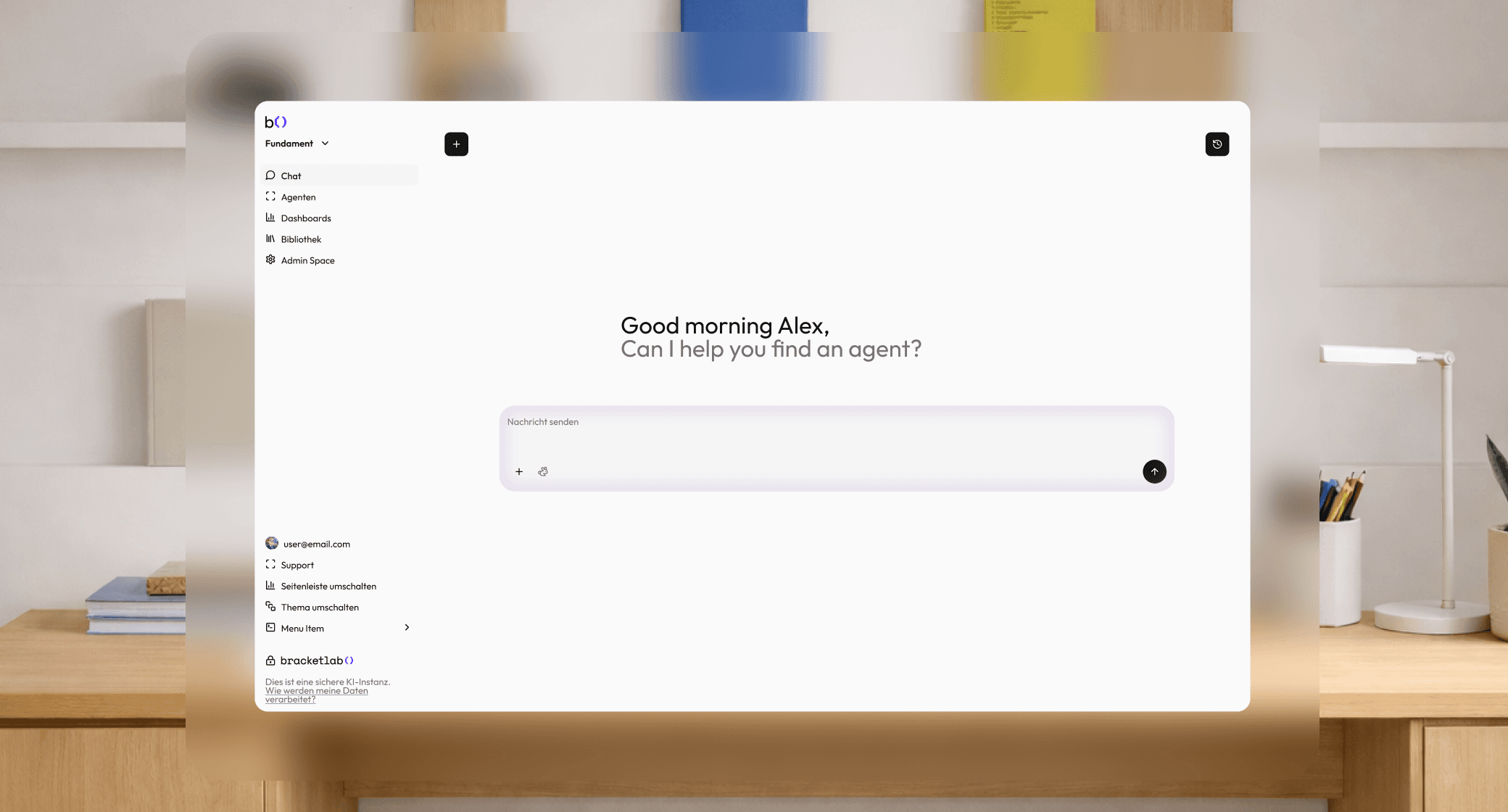
Over the last two weeks, we focused on three areas: giving you more control over how agents are shared and managed, improving the quality and accuracy of knowledge base answers, and strengthening the platform's stability.
1) Global Agents
Admins can now mark agents as Global, making them available across every workspace in the organization without needing to recreate or copy them. Global agents are centrally managed, and can optionally be excluded from specific workspaces where they're not needed.
How this differs from other visibility settings
Agents in Fundament have two independent controls:
Workspace-scoped vs. Global: A standard agent belongs to one workspace and is only visible there. A Global agent belongs to no specific workspace and appears in all workspaces by default.
Public vs. Private: Within a workspace, an agent can be public (visible to all users in that workspace) or private (only visible to its creator). These two settings work independently. A Global agent can also be set to public or kept private.
The start screen now only shows agents that are either Global or marked Public within the current workspace, so users always see a clean, relevant set of agents when they start a chat, not every agent from across the organization.
How to use it:
Open an agent via Agents → Edit
Set the agent's Visibility to Global
The agent will now appear in the agent selector across all workspaces
To exclude it from specific workspaces, a Super Admin can configure those exceptions from the Global admin view
2) Knowledge Base & RAG Quality
Three targeted upgrades that make knowledge base answers more accurate, more verifiable, and easier to trace to the source.
Smarter relevance filtering
Before an AI answer is generated, Fundament retrieves document chunks from your knowledge base and ranks them by relevance. We've now introduced a minimum relevance threshold of 0.45 — any chunk that scores below this is excluded entirely before it reaches the model.
This scoring weighs both how closely the chunk matches your question (70% weight) and how distinct it is from other retrieved chunks (30% weight) — preventing both off-topic content and repetitive chunks from influencing the answer.
Post-generation fact verification
After an answer is generated from your knowledge base, Fundament now runs an automatic verification step. It breaks the answer down into individual factual claims and checks each one against the retrieved source chunks using embedding similarity.
Claims that are well-grounded in your documents are kept as-is. If the removeUngrounded option is enabled for your deployment, unverified claims are quietly removed from the answer before it's shown to you.
This process is post-generation. The answer is fully written before verification runs, so it does not slow down response time. If verification encounters an error, the original answer is returned unmodified so users are never blocked.
Page numbers in source citations
Source citations in chat responses now include the exact page number where the referenced content was found. Citations appear in the format "Filename.pdf, p. 3", so you can open the document and navigate directly to the relevant page without scanning through it manually.
This applies to document-based knowledge sources (PDF, Word, etc.). Structured data sources like database tables don't carry page references and continue to show just the source name.
3) Configurable AI Models per Agent
Admins and agent creators can now restrict which AI models are available for a specific agent. Instead of showing users the full model list, you can pin an agent to a curated set of models that fit its purpose, cost profile, or compliance requirements.
When you allow all models for an agent (the default), the system stores an empty list internally, which also means new models added to your workspace in the future are automatically available for that agent without any extra configuration.
4) UI & UX Improvements
Updated model icons in the selector dropdown
Provider icons in the model dropdown are now accurate and branded. OpenAI, Anthropic, Google, DeepSeek, Mistral, and MoonshotAI each display their correct icon, making it fast to identify which model family you're selecting from.
Agent description truncation on the start screen
Agent descriptions in the start screen agent selector are now properly capped so they don't overflow and break the card layout, regardless of how long the description is.
Library name no longer overlaps tool icons
In the agent overview table, library names previously ran into the tool icon column on narrower screens. This is now resolved with correct layout spacing.
Support navigation alignment fixed
The support link in the sidebar was misaligned on certain screen sizes but is now consistently positioned.
5) Bug Fixes
Fixed: Chat input stuck in disabled state after page reload
The message input box could get locked in a read-only state after reloading an active chat even when the chat was fully ready. The root cause was a stale UI state not re-evaluating correctly after the page initialized. The input now correctly re-activates on reload in all cases.
Fixed: Floating bug report button covered the send button on mobile
On mobile screens, the draggable bug report button had a z-index high enough to sit on top of the chat send button, making it impossible to tap send without moving the button first. The z-index has been corrected so the send button is always accessible.
Fixed: Chat behaved unexpectedly when a connected agent was unreachable
When an agent had a configuration problem (such as a connected model no longer being available), the chat would fail silently or produce confusing behavior. The system now detects this at the start of a chat and surfaces a clear, actionable error message instead of degrading silently.
Fixed: Web URL analysis requests handled inconsistently
When a user pasted a URL into the chat for analysis, the system sometimes treated it as a search query instead of fetching the actual page. The tool now detects full URLs automatically and routes them directly to page-fetch mode. The tool description also now explicitly instructs the AI to pass the exact URL when one is provided, preventing misrouting.
Additional fixes in this release:
Azure email login redirect no longer fails after SSO handshake
Azure user import no longer incorrectly disables accounts that already exist
Invite emails sent via Azure Functions now include the correct copy
Paginated lists: search and sort now apply across all pages, not just the currently visible page
Library creation from a chat session no longer fails on the second attempt